


RTL Support
RTL Support
How to Enable RTL Layout?
Aquiry provides full RTL (Right-to-Left) support for languages such as Arabic, Persian, and Hebrew.
On the right side of the page, you’ll find three quick toggle buttons — the third button
is dedicated to enabling RTL Mode. Clicking it instantly applies
dir="rtl" to the <html> element,
switching the layout direction for complete RTL compatibility.
You can also manage RTL and LTR switching from the Customization Offcanvas panel. Inside the offcanvas, under the layout direction options, you can easily switch between LTR (default) and RTL without using the topbar buttons.
<!-- Example -->
<html lang="en" dir="rtl"></html>
LTR & RTL Layout Preview
Below are examples of how your dashboard looks in both LTR and RTL layouts. You can preview and test the switch using the toggle buttons at the right side of the page or from the Customization Offcanvas panel.
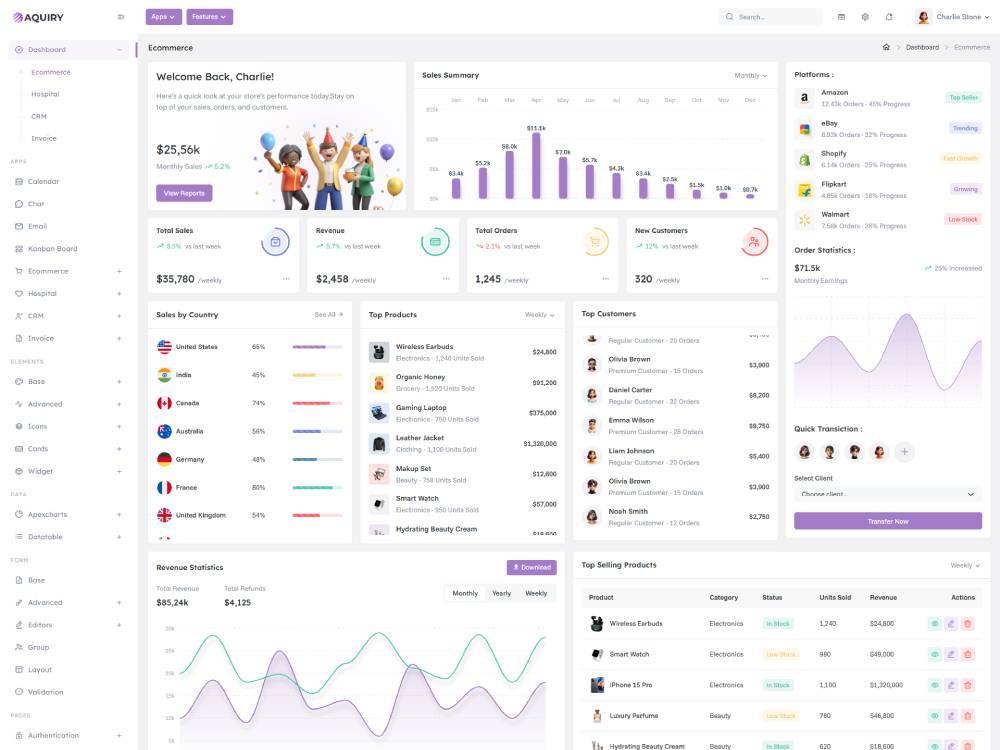
dir="ltr"
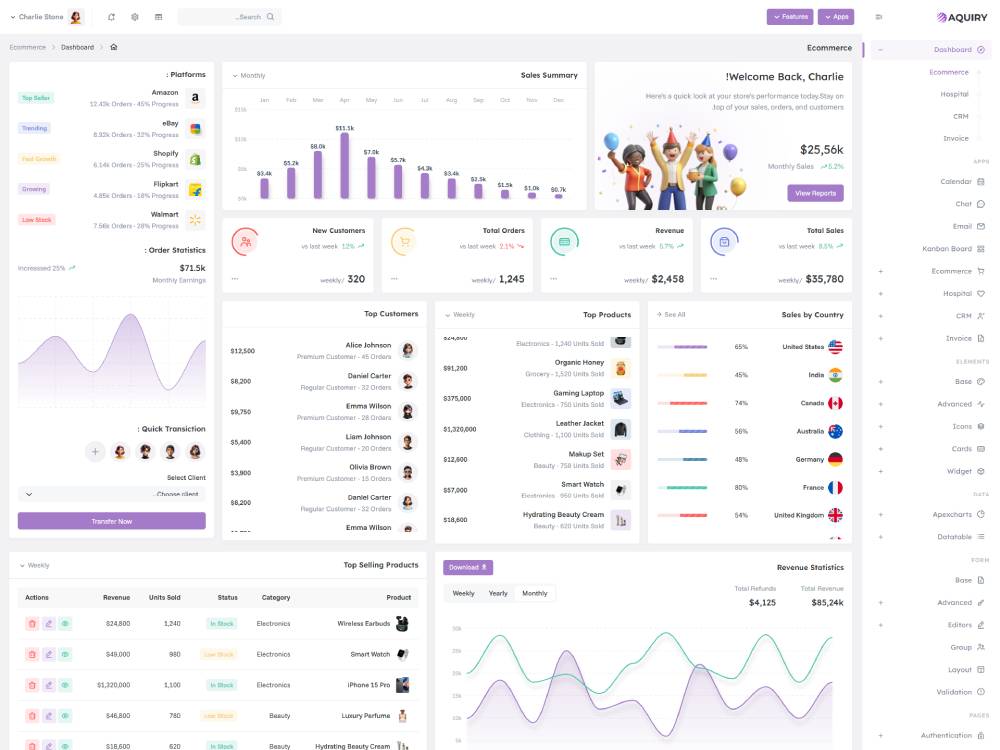
dir="rtl"